12月產品上新
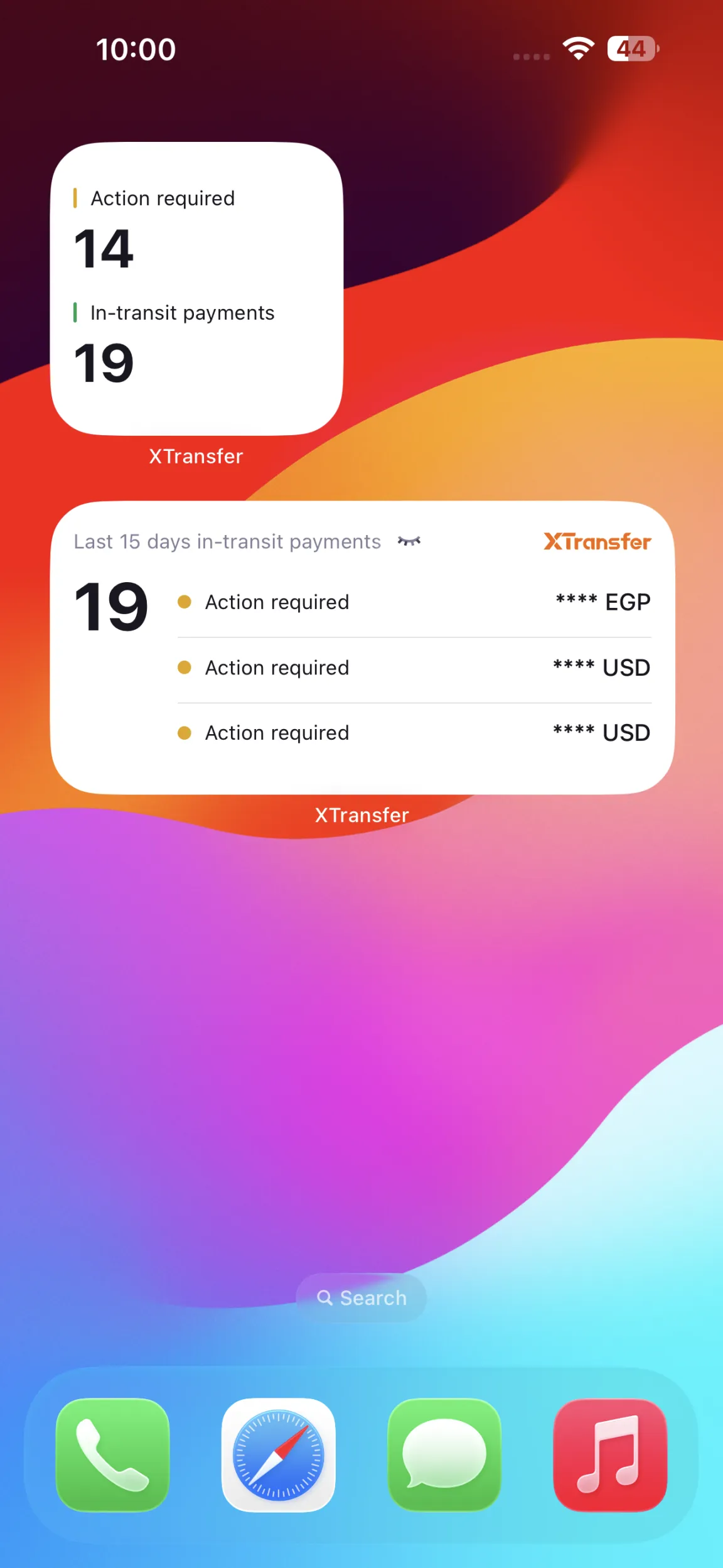
APP在途小組件重磅來襲!
老闆們,想知道在途資金走到哪了嗎?現在,把「XT在途小組件」放在手機桌面就能實時跟踪啦!
操作步驟:❶ 長按手機桌面空白處 → ❷ 添加XT在途小組件 → ❸ 搞定!隨時查看,點擊即達詳情頁
✅ 實時監控在途資金變化
✅ 一鍵跳轉查看所有詳情
✅ 安卓、iOS系統均可添加
Introducing the XT in-transit widget!
Want to know exactly where your money is? Now you can track your in-transit payments in real-time—straight from your home screen!
How to set it up: ❶ Press and hold an empty area on your home screen → ❷ Add the XT in-transit widget → ❸ All set! Stay updated at a glance and see details with one tap.
✅ Track your in-transit payments in real-time
✅ One-tap access to full details
✅ Available for both Android and iOS
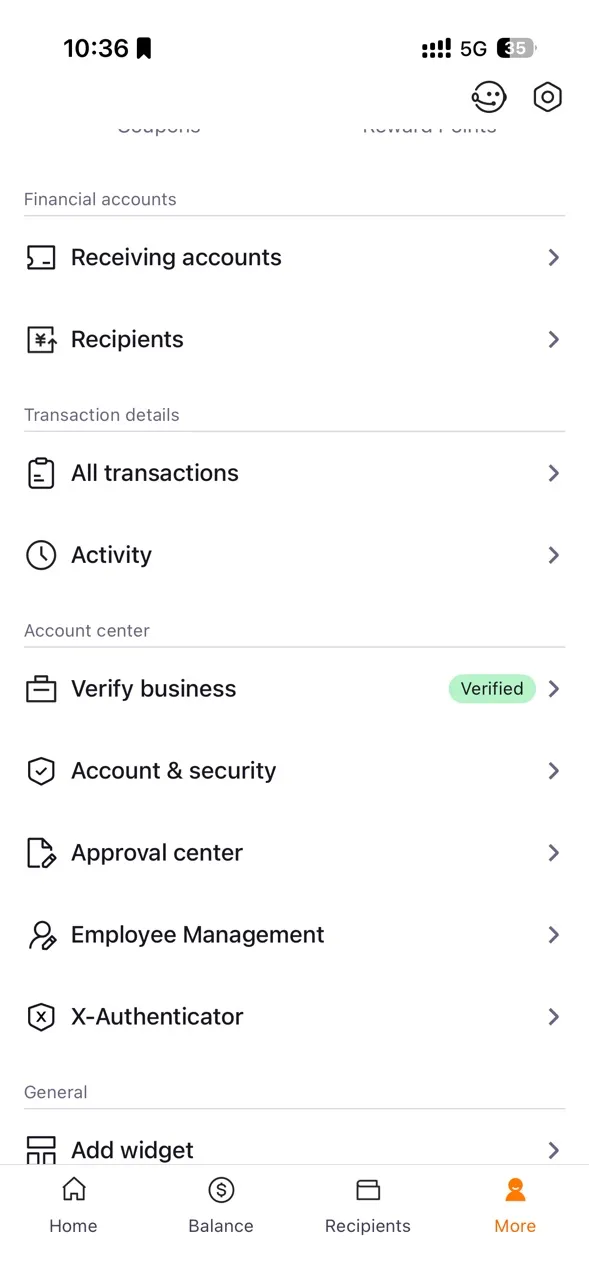
APP也能管理員工了!
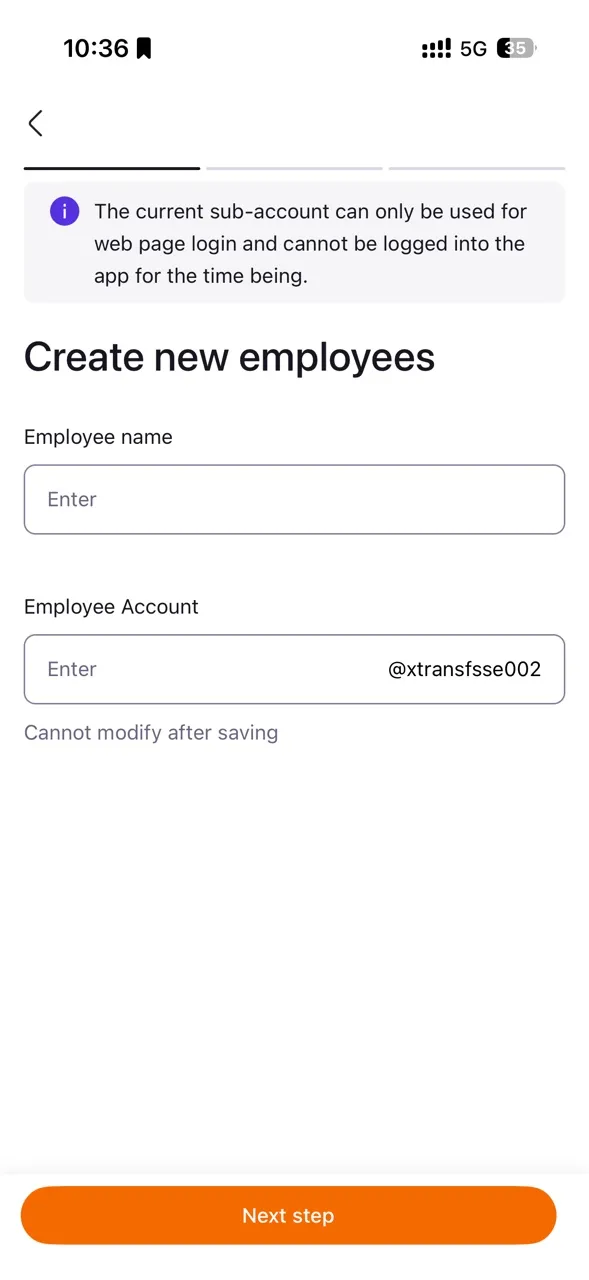
使用主帳號的老闆們看過來~現在打開手機APP,就能像在PC端上一樣,新增子帳號、設定角色權限、重設密碼、註銷員工帳號……隨時隨地,移動指尖輕鬆管理團隊!
(溫馨提示:子帳號登入APP功能仍在加緊開發中,敬請期待!)
Now app-enabled: Employee account management!
Main account holders can now manage employee accounts on the mobile app just as easily as on the desktop version! Create sub-accounts, assign role permissions, reset passwords, or close employee accounts... all at your fingertips, anytime, anywhere.
(A quick note: Mobile app login for sub-accounts is coming soon. Stay tuned!)
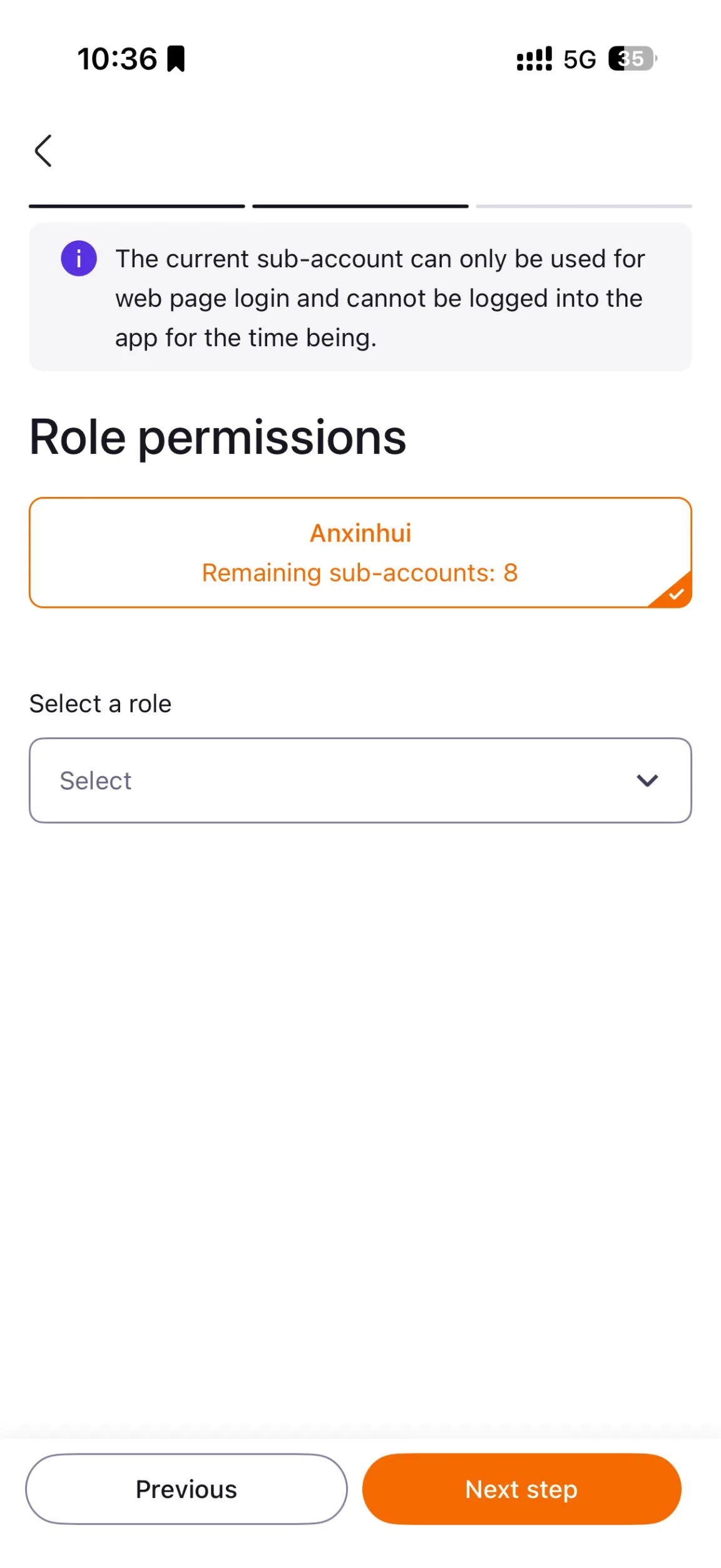
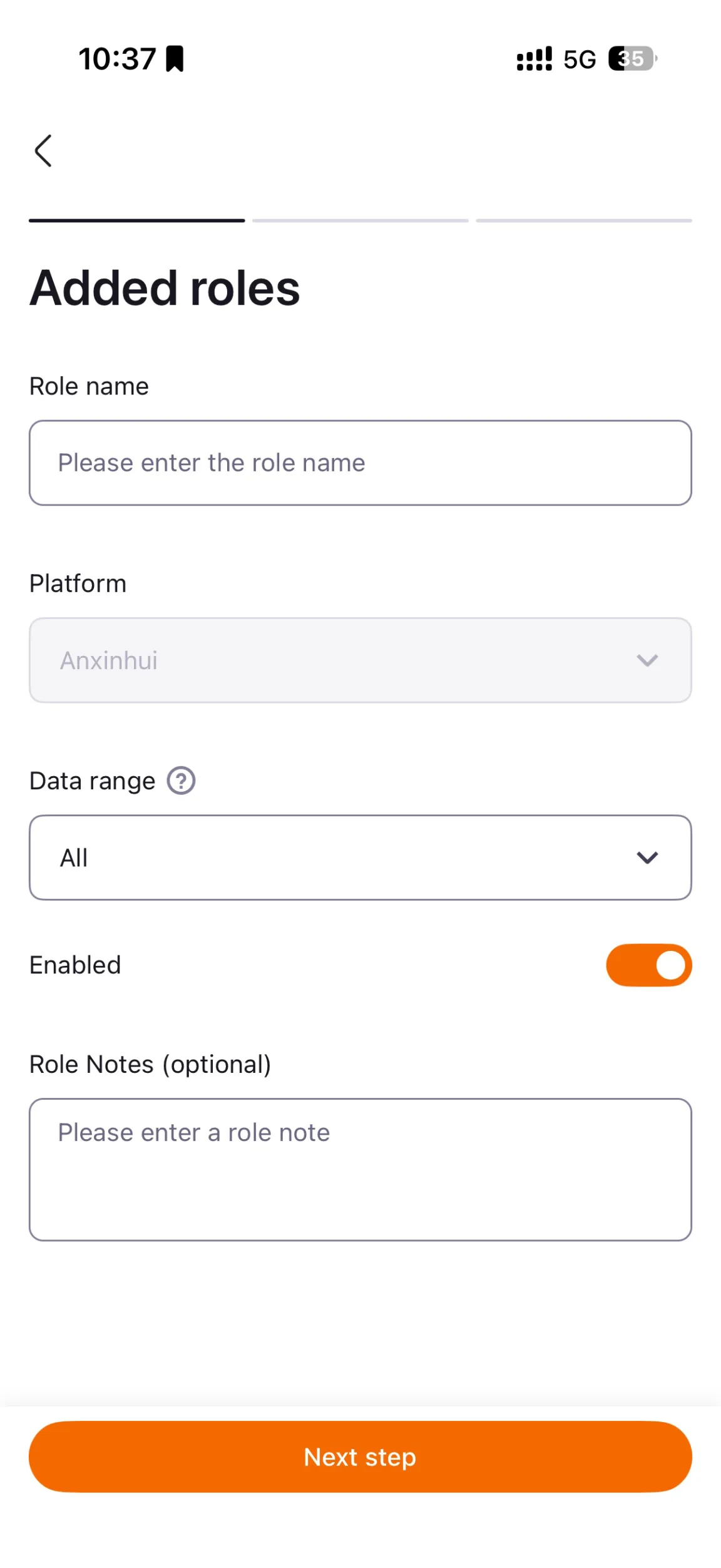
更詳細的操作指南已為您備好,可移步【幫助中心-產品文檔-操作指導-員工賬戶】查看~
For more detailed instructions, go to Help Center - Product Docs - User Guides - Employee Accounts
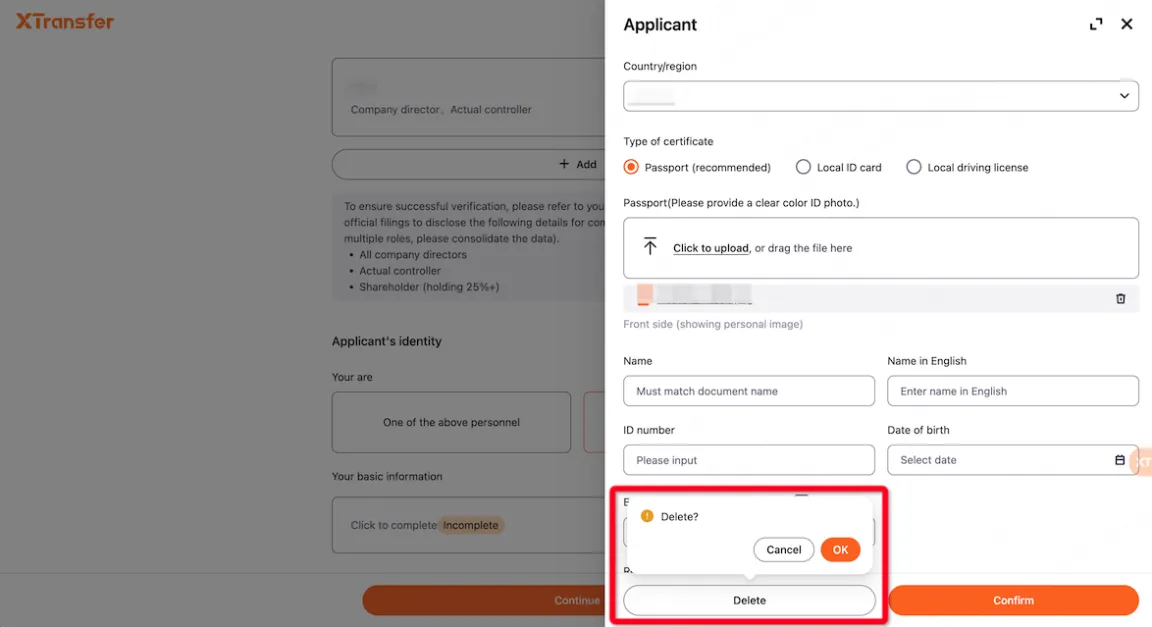
認證人員信息填錯、重複?一鍵搞定!
老闆們,認證信息管理兩大痛點,我們一次解決:
✅ 自由刪改:法人、被授權人信息若需更新,在編輯時即可輕鬆刪除重填。
✅ 智能去重:系統會自動檢測並提示重複人員,您可直接在彈窗裡快速刪除,保持信息列表乾淨。
Incorrect details or duplicate entries when verifying personnel? Fix it with one step!
We’ve solved your two biggest verification headaches in one go:
✅ Easy updates: If your legal representative or authorized person details need to be updated, simply delete and re-enter the details while editing.
✅ Smart deduplication: The system automatically detects and flags duplicate entries. You can quickly remove them via the pop-up to keep your list organized and accurate.